

OPPO Reno15 5G Vlog Camera Phone Addresses Pre-Shoot, In-Shoot, and Post-Production Challenges for Video Creators
1. Before Shooting — Stabilisation, Lighting, and Angle Coverage
Pre-shoot preparation for vlog creators typically involves three questions: whether footage will be stable, whether lighting is sufficient, and whether the angle covers both subject and environment.
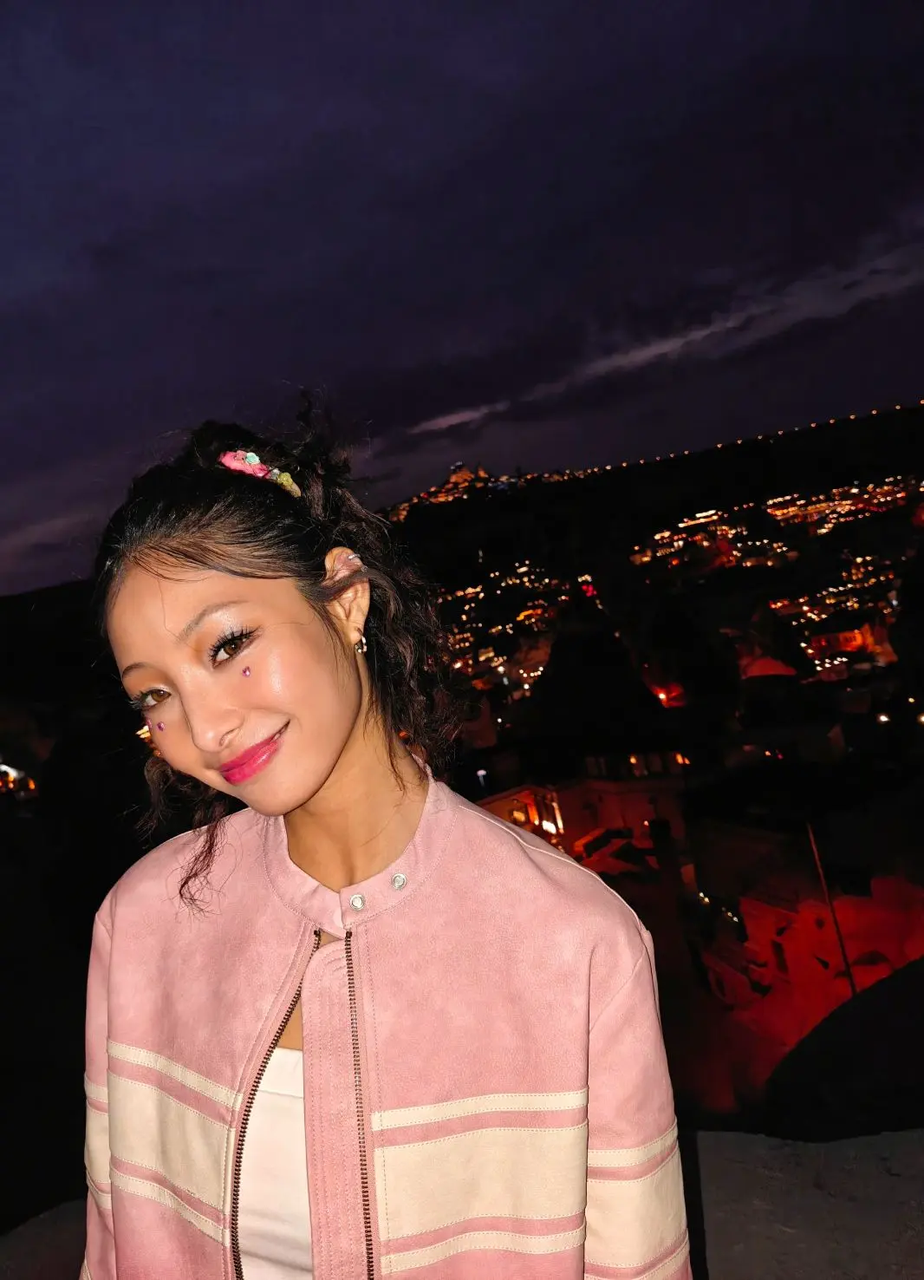
The OPPO Reno15 5G's 4K HDR Ultra-Steady Video activates stabilisation from the moment recording begins. Footage remains stable during running, spinning, and walking without requiring a gimbal. AI Portrait Glow identifies the face within the frame and applies automatic fill light once recording starts, addressing insufficient lighting without manual adjustment. Dual-View Video records from both front and rear cameras simultaneously, capturing the creator's reaction and the surrounding environment in a single take — removing the need to decide which perspective to prioritise before shooting.
2. During Shooting — Subject Capture, Perspective Switching, and Highlight Moments
The core of a vlog is the moment of capture — the creator on camera, the environment behind them, and the emotions of the scene. The OPPO Reno15 5G addresses three specific in-shoot requirements.
Front Ultra-Wide Portrait Video captures the creator facing the camera with consistent clarity, preserving facial expression, spoken content, and background environment within the same frame. Seamless Camera Switch completes perspective transitions during recording without frame jumps or visible editing cuts, allowing the creator to move from self-facing to scene-facing without interrupting the take. AI MotionPhoto Slow-Mo automatically captures dynamic moments — such as fireworks bursting — in slow motion at the point of recording, amplifying emotional impact without requiring manual slow-motion mode selection.
Pre-Shoot, In-Shoot, and Post-Production Features at a Glance
Before Shooting — Stabilisation, Lighting, and Angle
4K HDR Ultra-Steady Video eliminates shake during movement. AI Portrait Glow applies automatic fill light to the face. Dual-View Video records front and rear simultaneously in a single take.
During Shooting — Subject, Perspective, and Highlights
Front Ultra-Wide Portrait Video captures the creator and environment together. Seamless Camera Switch transitions between angles without visible cuts. AI MotionPhoto Slow-Mo captures peak moments in slow motion automatically.
After Shooting — Editing, Cleanup, and Asset Creation
Video Editing 2.0 handles trimming, colour adjustment, and subtitles on-device. AI MotionPhoto Eraser removes unwanted background subjects with one tap. Popout generates reusable intro stickers and cover assets from existing footage.
3. After Shooting — Editing, Frame Cleanup, and Content Repurposing
Post-production for vlog creators typically involves editing footage, cleaning up frames, and generating assets for future use. The OPPO Reno15 5G addresses each step on-device.
Video Editing 2.0 enables trimming, brightness adjustment, intro addition, and subtitle placement directly on the phone, without transferring footage to a computer. AI MotionPhoto Eraser removes passersby and unwanted background subjects from street footage with a single tap, with automatic background fill. Popout separates the creator from existing footage frames, generating transparent-background stickers suitable for use as recurring intro assets — the same sticker can be reused across multiple episodes without reshooting.
Frequently Asked Questions
Q: What equipment is required to produce a complete vlog with the OPPO Reno15 5G?
The OPPO Reno15 5G addresses stabilisation, lighting, dual-angle recording, editing, and creative asset generation within a single device, without requiring additional equipment.
Q: Does shooting a location vlog require separate takes for the creator and the environment?
Dual-View Video records front and rear cameras simultaneously in a single take, eliminating the need for separate shoots or post-production footage synchronisation.
Q: How does Seamless Camera Switch handle perspective transitions during recording?
Seamless Camera Switch completes the transition between front and rear cameras during recording without frame jumps or visible editing cuts.
Q: Can vlog footage be edited without transferring to a computer?
Video Editing 2.0 supports trimming, music addition, colour adjustment, and subtitle placement directly on the OPPO Reno15 5G, without requiring a computer.
Q: Can intro stickers be generated from existing footage without reshooting?
Popout separates the creator from existing video frames and generates a transparent-background sticker, which can be reused as a recurring intro asset across multiple episodes.
Q: Does 4K HDR Ultra-Steady Video maintain stability during walking shots?
4K HDR Ultra-Steady Video maintains stable footage during walking, running, and spinning, producing smooth results without a gimbal.
Conclusion
The OPPO Reno15 5G vlog camera phone addresses the complete production cycle across three phases. Before shooting, 4K HDR Ultra-Steady Video, AI Portrait Glow, and Dual-View Video resolve stabilisation, lighting, and angle coverage. During shooting, Front Ultra-Wide Portrait Video, Seamless Camera Switch, and AI MotionPhoto Slow-Mo capture subject, perspective, and highlight moments. After shooting, Video Editing 2.0, AI MotionPhoto Eraser, and Popout complete editing, frame cleanup, and asset generation on-device. The result is an end-to-end vlog production workflow contained within a single device.
OPPO Reno 15
OPPO
email us here
Legal Disclaimer:
EIN Presswire provides this news content "as is" without warranty of any kind. We do not accept any responsibility or liability for the accuracy, content, images, videos, licenses, completeness, legality, or reliability of the information contained in this article. If you have any complaints or copyright issues related to this article, kindly contact the author above.
